Gross Pay to Net Pay Calculator Guide: Estimate Take-Home Pay, Withholding, and Paycheck Reality
People searching for a gross pay to net pay calculator are usually trying to answer a near-term budgeting question, not an abstract payroll question. They want to know what actually lands in the bank after withholding, payroll taxes, insurance, retirement contributions, and other deductions. In July 2026 that intent is still highly practical because job changes, W-4 updates, overtime, and multi-job households can make two similar gross checks feel very different after deductions.
Convert income into paycheck reality before you commit to a budget.
Open the Salary CalculatorQuick answer: what this calculator should show
A useful gross pay to net pay calculator should start with the correct pay-period gross amount, then estimate withholding, payroll taxes, and common deductions so you can see realistic take-home pay.
The most useful version is not only annual. It helps you think in weekly, biweekly, semi-monthly, or monthly pay rhythm because bills do not wait for year-end math.
What people are obviously searching for
The head-term cluster is direct and purchase-adjacent:
- gross pay to net pay calculator
- gross to net paycheck calculator
- net pay calculator
- take-home pay calculator
- after tax paycheck calculator
- salary to paycheck calculator
- biweekly take-home pay calculator
- weekly paycheck after tax calculator
- withholding calculator
- how much will I take home calculator
What people are really asking before payday
The longer-tail search intent is more revealing:
- Why is my paycheck so much lower than my gross salary?
- How much tax should come out of each paycheck?
- How do health insurance and 401(k) deductions change take-home pay?
- Why did my paycheck change after I updated my W-4?
- How do I estimate take-home pay from an hourly job offer?
- Why do two people with the same salary have different net pay?
- How does being paid biweekly instead of semi-monthly change each check?
- How much extra withholding should I use to avoid a tax bill?
- Why does overtime not increase my net check as much as I expected?
- What is the safest way to budget if my deductions change during the year?
Why this search intent matters now
People need paycheck realism, not annual headline numbers
Job offers, side-income changes, and cost-of-living pressure all push searchers toward net-pay tools. Gross income sounds good in an offer letter, but bills are paid from net pay.
The IRS still expects workers to actively manage withholding when life changes
The IRS Tax Withholding Estimator explicitly tells workers to use recent paystubs and can generate a pre-filled Form W-4. That is a strong signal that paycheck accuracy is not a one-time setup. It is something workers revisit after a new job, a second job, a major deduction change, or a household update.
Take-home pay questions often sit right next to borrowing decisions
Searchers using a gross-to-net calculator are often comparing rent, car payment, debt payoff, or home affordability decisions. That makes this topic commercially valuable without needing aggressive or thin content.
Gross pay versus net pay
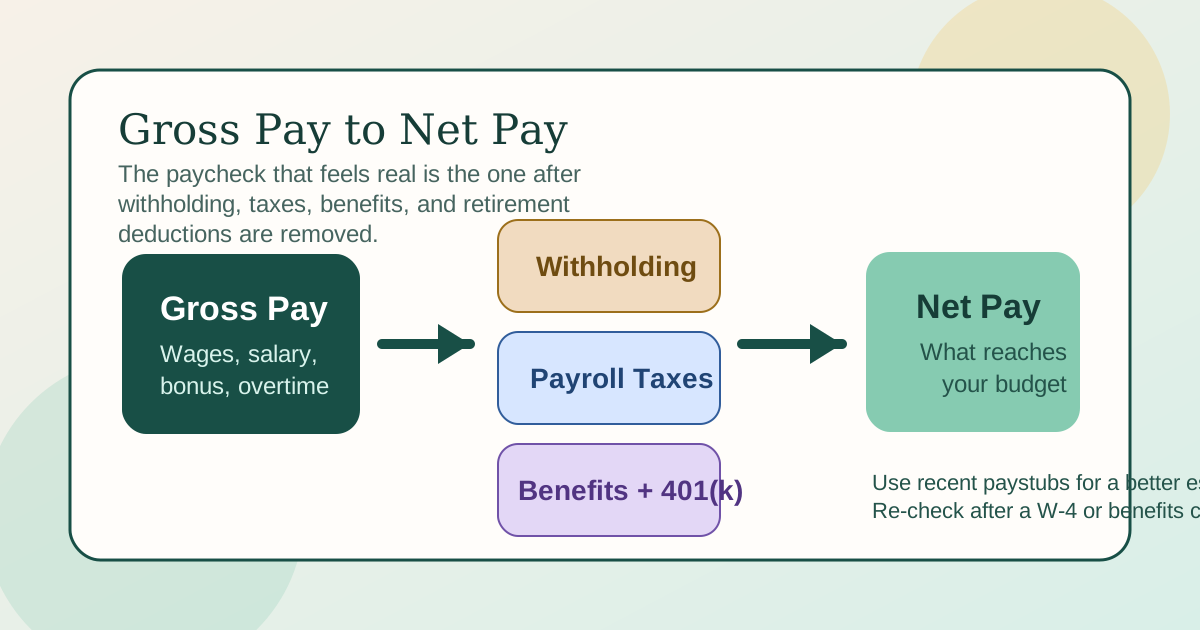
Gross pay is the starting number
Gross pay is earnings before taxes and deductions. It can come from hourly wages, salary, bonuses, overtime, commissions, or mixed compensation.
Net pay is the usable number
Net pay is what remains after federal withholding, Social Security and Medicare taxes, possible state or local taxes, and any benefit or retirement deductions. This is the number that matters for your actual budget.
Pay frequency changes how the same salary feels
A salary can be divided into 52 weekly checks, 26 biweekly checks, or 24 semi-monthly checks. The annual pay may match, but the size and timing of each check do not. The Biweekly Pay Calculator Guide is useful when that rhythm is the main confusion.
How to estimate take-home pay with Calcsy
1. Start with the right gross number
Use Calcsy's Salary Calculator to convert hourly wages or annual salary into a realistic pay-period gross estimate. If the job includes variable hours, test more than one scenario.
2. Match the pay frequency to real life
If you budget from biweekly checks, do not rely on simple annual math alone. Compare the result against the patterns in the Paycheck Calculator Guide and the biweekly guide so your monthly planning matches how you are actually paid.
3. Subtract withholding and payroll taxes conservatively
The IRS estimator says to use your most recent paystubs and, when relevant, your spouse's paystubs and recent tax return. That makes a big difference because withholding accuracy depends on your real setup, not only a generic rate guess.
4. Add non-tax deductions
Health insurance, HSA contributions, retirement deferrals, commuter benefits, garnishments, and similar deductions all shape the final number. This is where many simplistic net-pay estimates miss the mark.
Common situations behind this query
Job-offer comparison
People often compare two salaries or hourly roles and ask which one improves life more. That question is really about net pay, benefits, schedule, and deductions rather than gross headline pay alone.
Budgeting around fixed monthly obligations
Gross-to-net intent is often a prelude to borrowing or debt decisions. If you are matching paycheck reality to required payments, Calcsy's Loan Payment Calculator is a practical companion.
W-4 reset after a life change
Marriage, divorce, dependents, a second job, and benefit-election changes can all move take-home pay. The IRS guidance around Form W-4 exists because those changes are common and financially meaningful.
Overtime confusion
Many workers ask why overtime or a bonus did not increase take-home pay as much as expected. Usually the explanation is larger withholding in that pay period plus any percentage-based deductions, not a mysterious separate payroll rule.
Common mistakes to avoid
Budgeting from gross pay
If you use gross pay as your spending baseline, your real monthly room is likely overstated.
Ignoring benefits and retirement deductions
Net-pay differences often come from deductions that are not tax mistakes at all.
Using one unusual paycheck as the standard
Bonus-heavy, overtime-heavy, or catch-up withholding checks can distort what normal take-home pay looks like.
Not revisiting withholding after a life change
The IRS estimator exists because withholding assumptions can go stale. A net-pay plan built on old assumptions can quietly fail.
Related calculators and guides
- Salary Calculator for gross-pay conversion and scenario testing.
- Paycheck Calculator Guide for paycheck-level tax and deduction planning.
- Biweekly Pay Calculator Guide for 26-paycheck budgeting.
- Hourly to Salary and Take-Home Pay Guide for job-offer comparisons.
- Loan Payment Calculator for matching take-home pay against fixed obligations.
FAQ
What is the difference between gross pay and net pay?
Gross pay is earnings before taxes and deductions. Net pay is what remains after withholding, payroll taxes, and other deductions are removed.
Why does my paycheck look much smaller than my salary suggests?
Because each paycheck reflects withholding, payroll taxes, and deductions rather than just gross salary divided by the number of pay periods.
How can I estimate more accurate take-home pay?
Start with the correct pay-period gross amount, use recent paystubs, and compare your withholding setup against IRS Form W-4 guidance or the IRS estimator.
Why can two people with the same salary have different net pay?
Because filing status, state taxes, benefit elections, retirement contributions, and extra withholding choices can all differ.
Should I budget from annual net pay or each paycheck?
For day-to-day planning, budgeting from recurring paycheck reality is usually safer because bill timing and deductions happen throughout the year.