Percent Increase Calculator Guide: Formula, Price Changes, and Reverse Percentages
Searchers looking for a percent increase calculator usually need an answer fast, but the real problem is often bigger than one formula. They may be checking a rent increase, a raise, a marked-up price, a stock move, or an ad campaign metric and want to know which number is the correct base, why reverse percentages feel inconsistent, and whether a result should be called percent change or percentage points.
Run the percentage change while you read.
Open the Percentage CalculatorQuick answer: what a percent increase calculator should do
A useful percent increase calculator should show the change amount, the percentage change, and the original base number the result is measured against.
That last part matters most. A correct formula can still produce a misleading answer if the wrong starting number is used as the denominator.
What people are obviously searching for
The current head-term cluster is direct and action-oriented:
- percent increase calculator
- percentage increase calculator
- percent change calculator
- calculate percent increase
- price increase calculator
- salary increase calculator
- markup percentage calculator
- percentage difference vs percent increase
- reverse percentage calculator
- percentage points vs percent increase
What people are really asking before they trust the answer
The practical questions are more specific and usually tied to a real decision:
- How do I calculate the percent increase from 120 to 150?
- What is the formula for a rent increase or price increase?
- How do I work backward from a final price to the original price?
- Why do a 10% increase and 10% decrease not cancel out?
- Is a move from 4% to 5% one percent or one percentage point?
- How do I calculate percent increase in Excel without using the wrong base?
- How do I find the original salary before a raise?
- Should fees be included when calculating investment gain?
- What is the difference between markup and margin percentage?
- How do I reverse a discount or markup correctly?
The core formula
The standard percent increase formula is:
((new value - old value) / old value) x 100
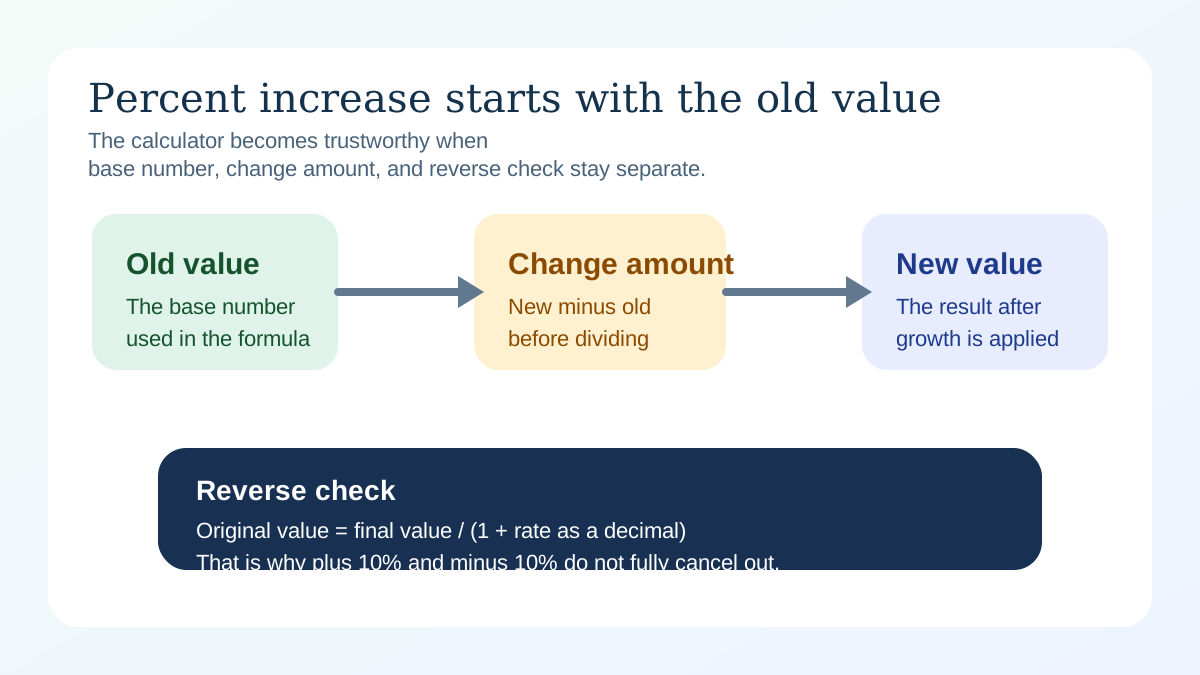
If the result is positive, the value increased. If it is negative, the value decreased. The important part is that the old value stays in the denominator because it is the baseline you are measuring against.
Example: price increase from $80 to $100
- Change amount: $100 - $80 = $20
- Divide by old value: $20 / $80 = 0.25
- Convert to percent: 0.25 x 100 = 25%
That means the price increased by 25%, not by 20% and not by $25. This is the most common place people confuse dollars with relative change.
Why this calculation matters right now
People compare prices constantly
Inflation-sensitive shopping, higher housing costs, subscription increases, and frequent price updates all keep percentage-change searches active. Many users are not doing abstract math. They are checking whether a bill, quote, or raise is reasonable.
Work and pay discussions often use percentages loosely
Raise negotiations, budget reviews, and performance dashboards all use percent change, but not always carefully. That drives demand for quick calculators that confirm both the number and the interpretation.
Investing headlines add confusion
Market moves, gains, losses, and fee-adjusted returns all use the same core formula, but the wording changes. Searchers want a clean way to compare moves across different starting prices.
How to use a percent increase calculator correctly
1. Lock in the starting value first
The old value is the baseline. If you accidentally divide by the new value, the answer becomes a different metric. That mistake is common in spreadsheets, sales reports, and casual mental math.
2. Separate dollar change from percentage change
A $20 increase can be small or large depending on the starting amount. On an $80 item it is 25%. On a $400 item it is 5%.
3. Use reverse percentage math when you only know the final amount
If a price ends at $150 after a 25% increase, the original number is not $125. You divide the final amount by 1.25, which gives $120.
4. Know when the topic is percentage points instead
If a rate rises from 4% to 5%, that is a 1 percentage point increase. In relative terms, it is a 25% increase. Both statements can be true, but they answer different questions.
Reverse percentages: the part users usually need twice
Reverse percentage questions have strong planning question because they appear in shopping, payroll, and reporting. The formula is:
original value = final value / (1 + rate as a decimal)
For a 20% increase, divide by 1.20. For a 35% increase, divide by 1.35. This is also why reversing a discount or markup feels less intuitive than applying one.
Why plus 10% and minus 10% do not cancel out
If a price rises from $100 to $110, that is a 10% increase. If it then falls 10%, the drop is measured on $110, not $100. Ten percent of $110 is $11, so the new amount becomes $99.
This is one of the clearest examples of why base values matter more than the percent sign itself.
Common percent increase scenarios
Price changes
Retail markup, grocery inflation, rent increases, and subscription renewals are some of the most common uses. If you also need final-price math after tax or discount, the Sales Tax Calculator Guide covers those steps.
Pay and income changes
Raises, job offers, and overtime comparisons are often communicated as percentages even though workers feel them as monthly dollars. Pair the result with Calcsy's Salary Calculator when you want to translate a raise into a planning number.
Growth over time
Traffic, revenue, and investment reporting often mix one-time percent change with repeated growth. If the increase repeats over months or years, move next to the Compound Interest Calculator Guide or the Compound Percentage Growth Guide.
Common mistakes to avoid
Using the new value as the denominator
This changes the metric and usually understates the increase.
Mixing percent change with percentage points
This is especially common with rates, polls, and conversion metrics.
Ignoring fees when calculating investment gains
A clean percentage can still overstate the real result if fees, commissions, or taxes materially change the final proceeds.
Assuming markup and margin are the same
Markup is measured against cost. Margin is measured against revenue. The percentages can look similar but mean different things.
Related calculators and guides
- Percentage Calculator for percent-of, percent-change, and discount scenarios.
- Percentage Discount Guide for discounts, sales pricing, and broader percentage basics.
- Sales Tax Calculator Guide if the change affects checkout totals, taxes, or after-discount price.
- Salary Calculator for turning raise percentages into monthly and annual income scenarios.
- Compound Interest Calculator Guide for repeated growth rather than one-step change.
FAQ
What is the formula for percent increase?
Subtract the old value from the new value, divide by the old value, and multiply by 100.
How do I find the original value before a percent increase?
Divide the final value by one plus the increase rate as a decimal. For example, divide by 1.25 for a 25% increase.
Why do plus 10% and minus 10% not cancel out?
Because the decrease is applied to the higher new amount, not the original starting value.
What is the difference between percent increase and percentage points?
Percent increase is a relative change measured against an earlier value. Percentage points are the arithmetic difference between two percentages.
Can I use the same calculator for percent decrease?
Yes. The same percent-change formula works. A negative result simply means the value decreased rather than increased.